Turn Lecture Notes Into AI Flashcards With a Free Flashcard App
Learn how Repetio turns lecture notes into AI flashcards, organizes them into decks, and helps you review with active recall and spaced repetition.
Kristian9 min read
Lecture notes are useful while you are in class. They are less useful when you need to remember the material later. Repetio turns notes into flashcards, then keeps those cards inside a study system built for active recall, spaced repetition, and long-term review.
If you have ever tried to study from a long lecture PDF, you know the problem. The notes contain the information, but they do not force you to retrieve it. You can reread a page several times and still feel unsure when someone asks you the same idea as a question.
Flashcards solve that by turning passive material into active recall. The hard part is making the cards. A good AI flashcard app should reduce that setup work without leaving you with a messy pile of unreviewed cards. The workflow below shows how Repetio is designed to handle the full loop: generate, edit, organize, study, and track.
In the example below, you will see the full flow: upload a nervous system lecture, generate 100 flashcards, edit the deck, add an image, organize the cards, and review them with spaced repetition.
Start with focused lecture notes
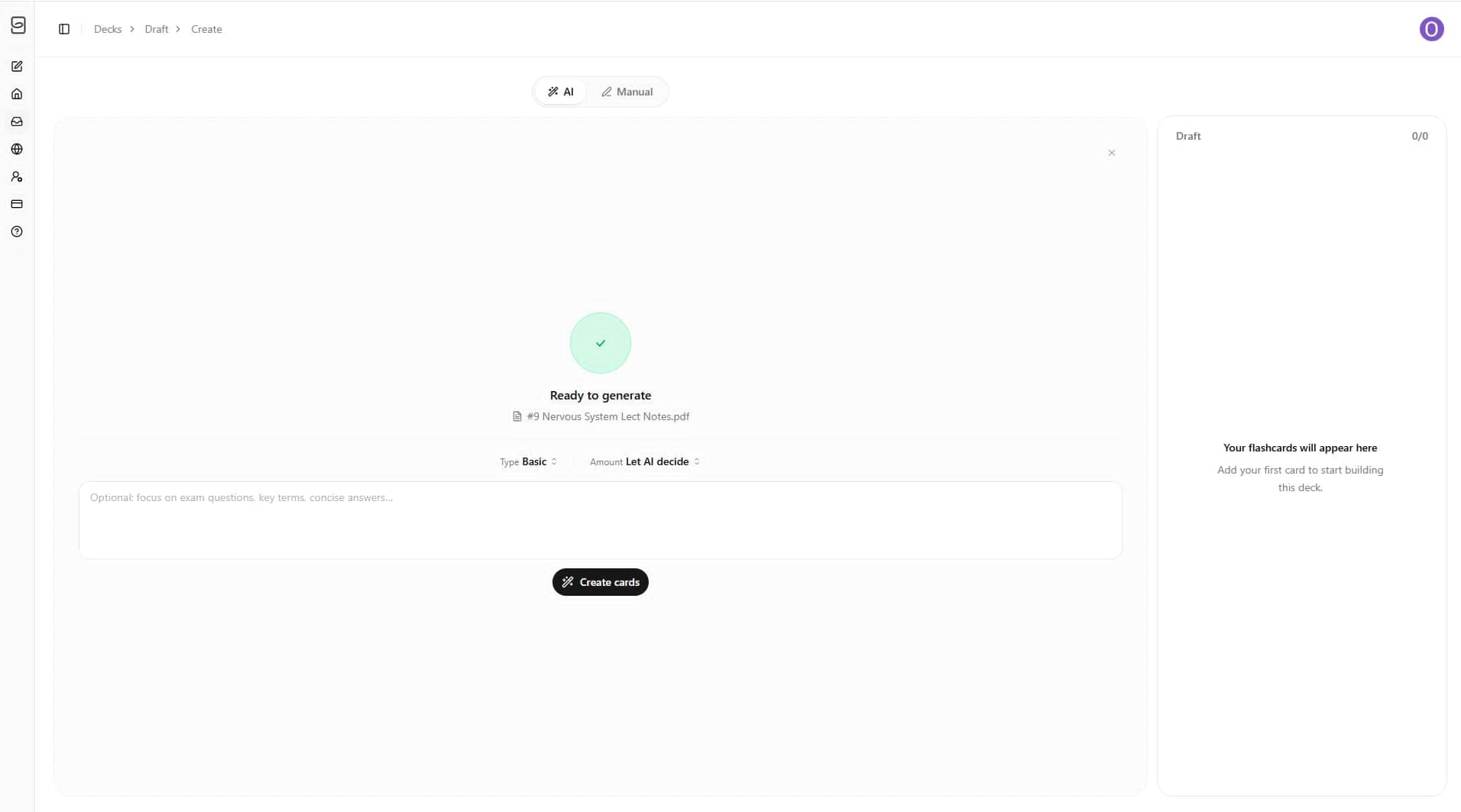
The best input is specific. A single lecture, topic, chapter, or exam section usually works better than an entire course dumped into one request. In Repetio, you can upload a file and then decide how the AI should turn that material into cards. For example, you can ask for basic cards, let the app decide the card amount, or add instructions such as “focus on exam questions, key terms, and concise answers.”
This matters because AI is most useful when it has a clear job. “Make flashcards from this” can work, but a tighter instruction gives you a better first draft. The goal is not to generate as many cards as possible. The goal is to generate cards that are specific enough to review tomorrow, next week, and before an exam.
Generate a draft deck in seconds
Once the notes are uploaded, Repetio creates a draft deck from the lecture material. In this example, the app turns nervous system lecture notes into a set of 100 question-and-answer cards. You can see the questions appear in the draft panel, ready for review before they become part of your study routine.
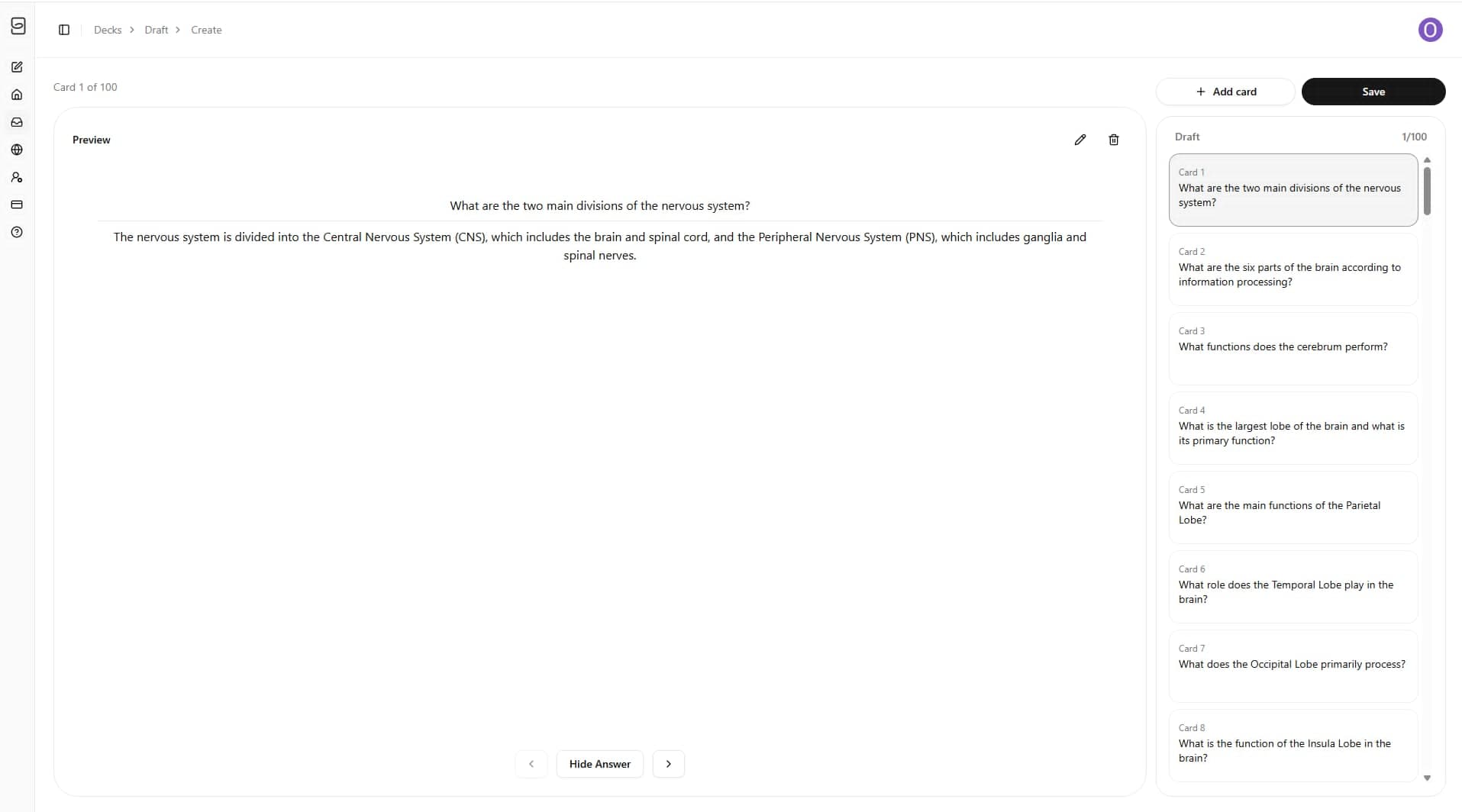
Speed is useful, but speed by itself is not enough. A flashcard generator can create cards and stop there. A flashcard app needs to help you decide what deserves review, where the cards belong, and when each card should appear again.
Edit the cards before you study
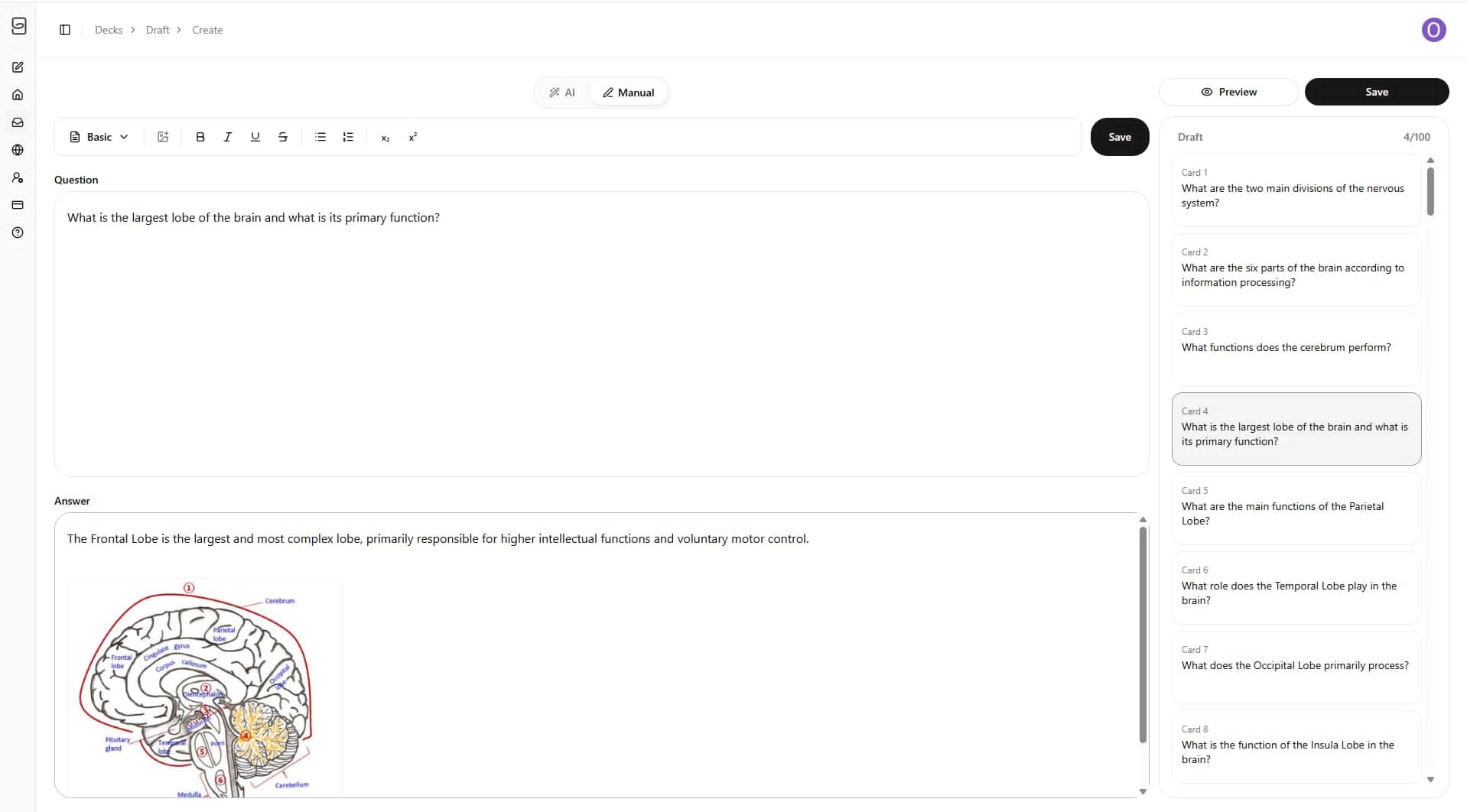
AI should draft the first version. You should still make the final pass. That does not mean rewriting every card from scratch. It means checking whether each prompt is clear, whether the answer is sufficient, and whether the card tests one thing at a time.
In Repetio, you can edit, add, or delete cards directly. You can also add an image when it helps memory. For anatomy, physiology, language learning, and visual subjects, an image can make a card much easier to recognize and recall later.
A useful rule: let AI create the draft, but only let good cards into repetition.
Study with active recall
Once the deck is ready, the real learning starts. Active recall means you try to retrieve the answer before you look at it. That small moment of effort is the point. It shows you what is actually available in memory, not just what feels familiar when you reread the page.
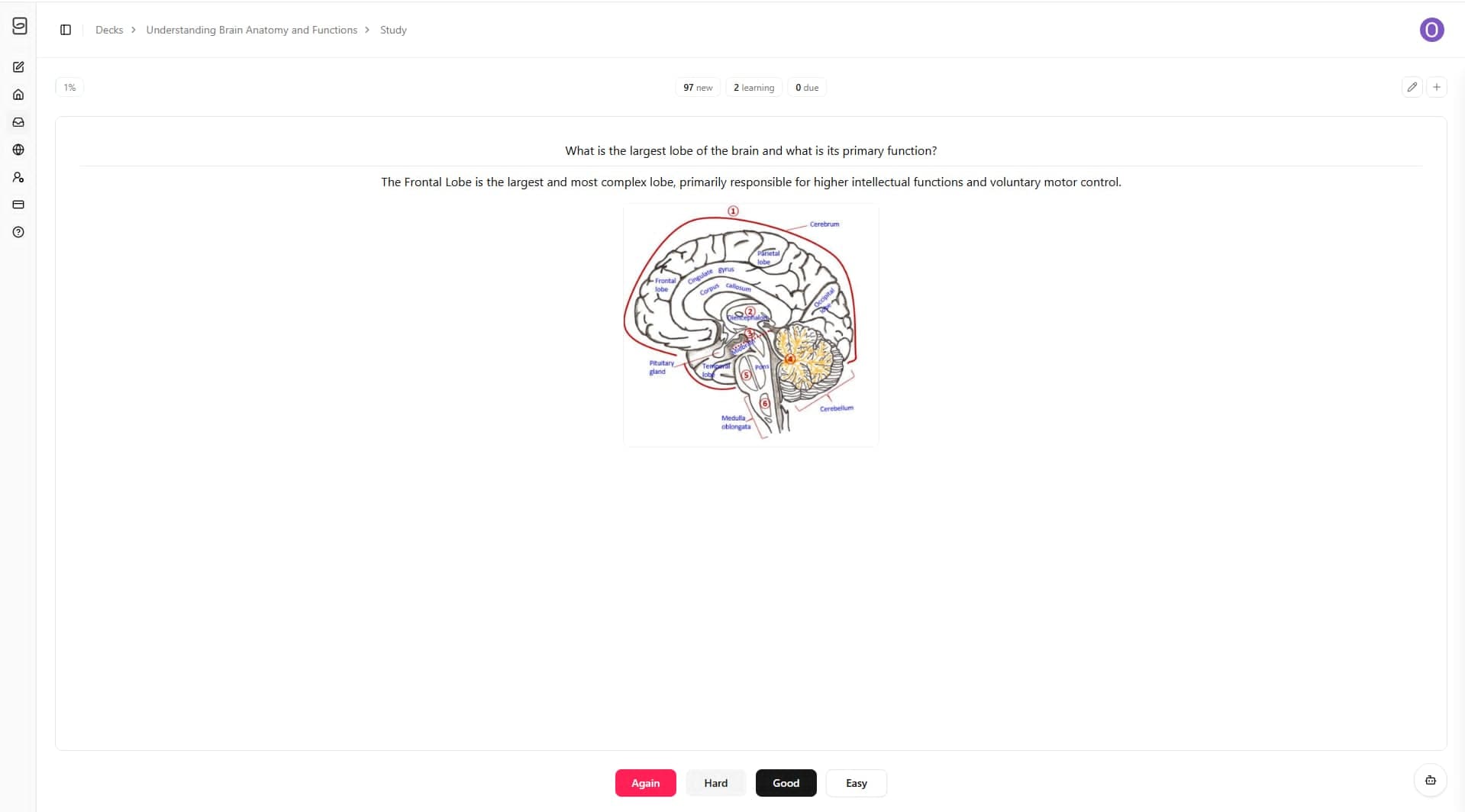
Repetio keeps the study screen simple: read the question, answer it in your head, reveal the answer, and then grade how well you knew it.
Let spaced repetition decide when cards come back
The buttons at the bottom are not just feedback. They control scheduling. If a card is difficult, it should return sooner. If it feels easy, it can wait longer. That is the basic logic behind spaced repetition: review information near the point where forgetting would otherwise begin.
This turns each review session into useful input for the next one. Instead of deciding manually which cards to repeat every day, you rate your recall and let the app keep the review queue moving.
Ask AI when a card is not clear
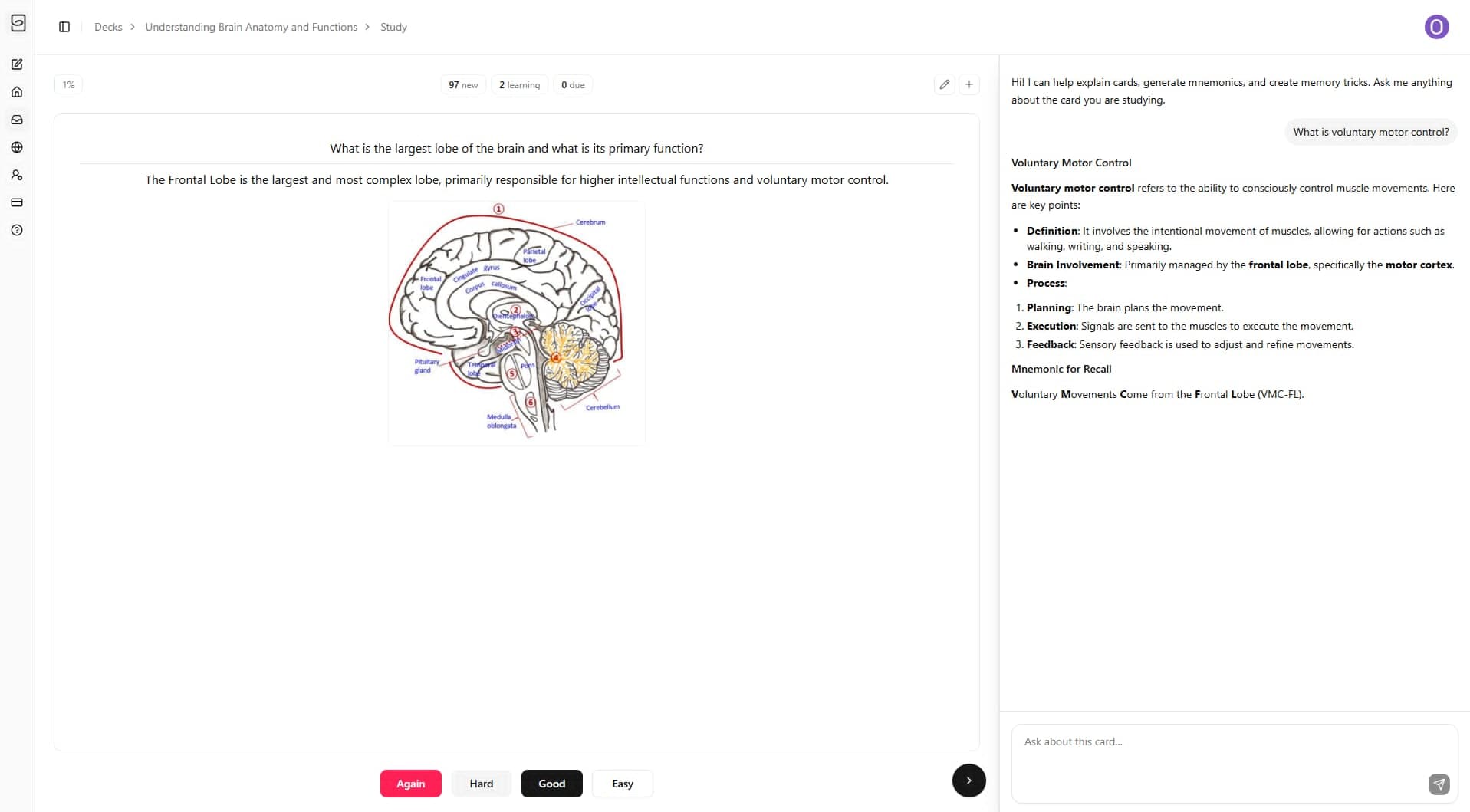
Sometimes a card is technically fine, but the concept still feels fuzzy. In that moment, leaving the study flow to search for another explanation creates friction. Repetio includes an AI study assistant so you can ask follow-up questions about the card you are reviewing.
You can ask for a simpler explanation, an example, a mnemonic, or a short breakdown of why the answer is correct. Used well, this makes AI part of understanding, not only part of card generation.
Organize cards into decks and subdecks
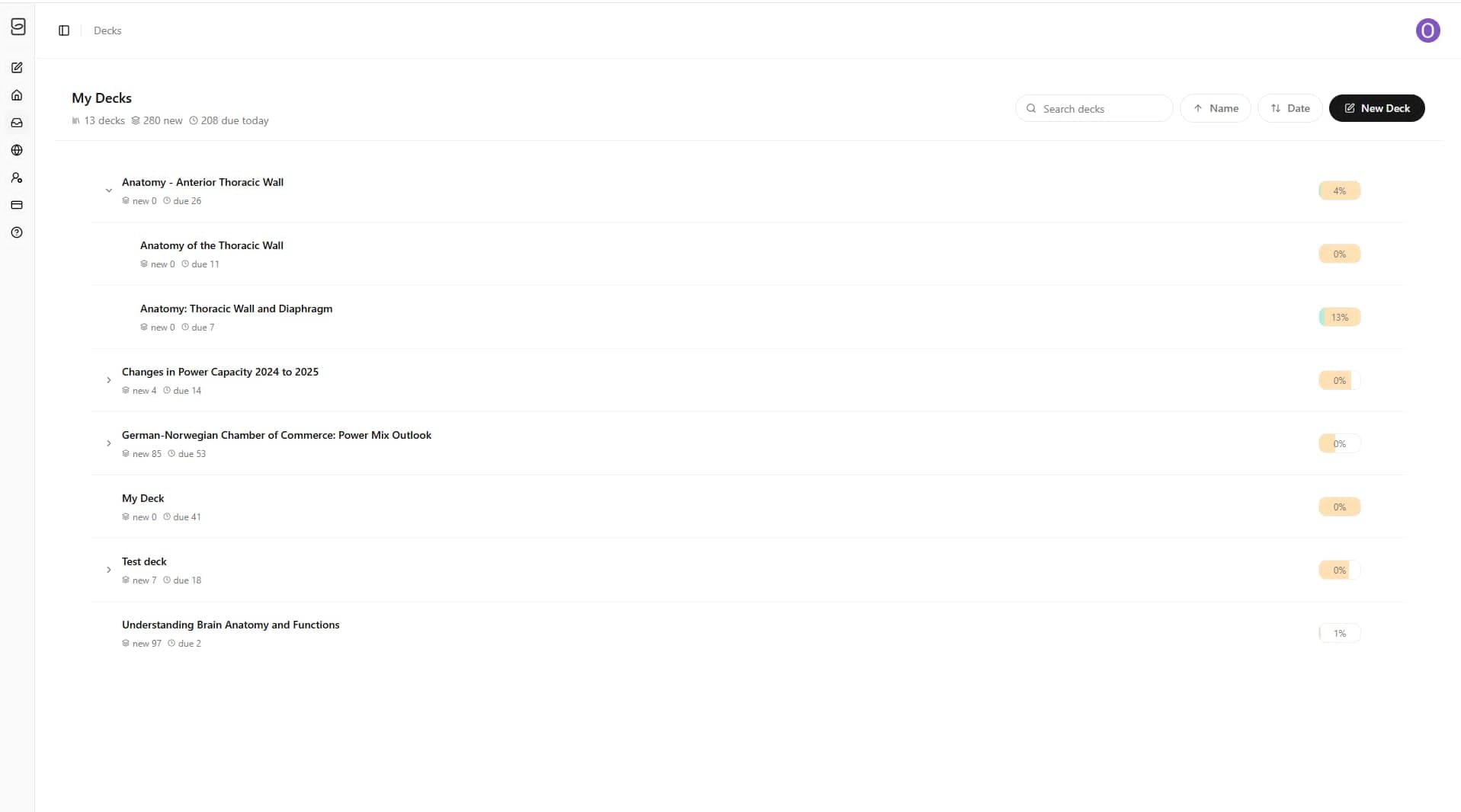
Organization becomes important as soon as you have more than one topic. Lecture notes turn into decks. Related decks can sit inside a parent deck. That means a medical student might organize anatomy by region, a language learner might organize vocabulary by theme, and an exam student might separate lectures by week.
In Repetio, the deck system is built for that. You can keep a clean overview of subjects, see due cards, and create subdecks when one topic belongs inside a larger course.
From AI-generated cards to a real study system
The main point is not only that Repetio can make cards. It is that the cards stay inside the same app where you organize them, study them, and review them again later.
A standalone AI flashcard maker is useful for the first step: turning notes into cards. Repetio is built as an AI flashcard app, so the workflow continues after generation. You can clean up the deck, add images, place cards in the right subdeck, study with active recall, and let spaced repetition bring cards back when they are due.
- Generate flashcards from lecture notes.
- Improve the draft with edits, images, and clearer answers.
- Review the cards with active recall and spaced repetition.
- Organize decks and subdecks as your course grows.
That is the practical promise of Repetio: less setup before studying, and a simpler path from lecture notes to long-term memory.
The workflow to remember
- Upload focused lecture notes.
- Choose the card type, amount, and instructions.
- Generate a draft deck with AI.
- Edit weak cards and add images when helpful.
- Study with active recall.
- Use spaced repetition to schedule the next review.
- Organize cards into decks and subdecks for long-term learning.
Repetio is available now. Start by uploading one lecture, generating a first deck, and reviewing the cards while the material is still fresh. Start turning your notes into flashcards in Repetio.